Social Blog Plugins Plans Help Log in
Help & Learning Center » Getting Started
search

HELP & LEARNING

  • flag Getting Started
  • auto_awesome Tips & Tricks
  • extension Level Up Amplenote
  • menu_book All Help Articles
  • lightbulb Inspiration & Resources
  • chat_bubble_outline Contact Us

Getting Started

Links to everything you need to get up and running with Amplenote.
Getting Started

Capture: Jots & Amplecap

  • edit "Jots" -- what are they vis-a-vis "Notes"?
  • edit Amplecap usage examples
  • edit Amplecap: capturing web content with our Chrome/Firefox extension
  • edit Create a task from a jot
  • edit Creating future daily jots
  • edit Fastest way to add a task from phone?
  • edit Forward emails (Gmail, Outlook, etc) to a note inbox of your choosing
  • edit From Jot task to scheduled event on calendar

Notes & Writing

  • description Applying custom foreground and background color to text and table cells
  • description Calculations (aka "expression" or "evaluation"): Dates, time and math
  • description Code block & colored block text formatting
  • description How do I create a new note?
  • description Jump to top of notes list
  • description Keyboard shortcuts (hotkeys) & markdown syntax examples
  • description Link to new or existing notes (at @ and double-bracket [[ notation)
  • description Multi-note selections and bulk actions

Tasks & Todo Lists

  • check_box Assign/delegate tasks
  • check_box Batch moving & updating tasks, batch changing Task Score
  • check_box Checkboxes (lightweight tasks that don't show up in Tasks Mode)
  • check_box Completed tasks: see what's getting done
  • check_box Create a task (to-do list)
  • check_box Cross out (strikethrough) when task complete to leave it inline (don't remove completed tasks)
  • check_box Filtering tasks: tags and note references (backlinks aka projects)
  • check_box Hide (snooze) a task until later
Amplenote 101 series on YouTube

Amplenote Explained 4: Tasks part 1: task score and tasks mode
Amplenote
5:56
Amplenote Explained 11: All about tagging, part 1
Amplenote
8:16
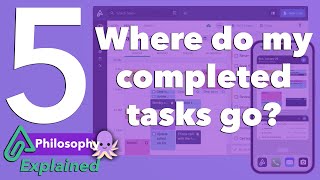
Amplenote Explained 5: Where do my completed tasks go?
Amplenote
4:21
View more on YouTube open_in_new

EXPLORE ALL HELP TOPICS

edit
Capture: Jots & Amplecap
description
Notes & Writing
check_box
Tasks & Todo Lists
calendar_today
Calendars & Scheduling
help_outline
Organize Everything
devices
Devices & Syncing
security
Security
search
Search, Lookup & Navigation
group
Sharing & Publishing
import_export
Import & Export
account_box
Use Cases
account_circle
Account & Subscriptions
diamond
Make it Sparkle
forum
Goals, Forums & Social
extension
Extending Amplenote
extension
Plugins
lightbulb
Concepts & Terminology
View all Help documentation

Get Amplenote

  • Install web app
  • Download desktop app

Mobile apps

  • Google Play
  • App Store

Amplecap extension

  • Chrome
  • Firefox

Product

  • Subscription pricing
  • About us
  • Product changelog
  • Core customer values
  • Best Evernote Alternative
  • Best Todoist Alternative
  • Plugin directory
  • Plugin development guide
  • API access
  • Longevity Pledge

Resources

  • Help & learning
  • Blog (site updates)
  • YouTube tutorials

Community

  • User directory
  • Public feature voting
  • Supporter feature voting
© 2026 Amplenote. All rights reserved.
Privacy Terms of service