The Obsidian Alternative

Keep the joy of linked notes.
Add the power to finish things.

Obsidian is excellent for building a personal knowledge vault. Amplenote is better when your notes need to become priorities, calendar blocks, shared plans, and measurable progress — without assembling a plugin stack.

Free forever plan One-click Obsidian import Full Markdown export
May 2026
MON
TUE
WED
THU
FRI
10A
Insights
Marketing
GitClear
Call
11A
Linked
Marketing
LinkedIn
12P
Jog
Jog
Jog
1P
Sync
1-hour buffer
Insights
2P
Don't confirm
Bill / Alykhan
3P
Debug LLM
2hr triage
Reddit Meeting
2hr triage
4P
Luminary
Implement
Task Score 8.4 → scheduled
A fair comparison

Two great tools. Two different jobs.

We respect Obsidian — many of us used it for years. The honest question isn't which is better, but which fits the way you actually want to work.

Obsidian shines at

Local-first knowledge management

For tinkerers who love graph thinking, owning their files as plain Markdown, and customizing every detail of their environment.

  • Files stored locally on your disk
  • Powerful graph view and backlinks
  • Deeply customizable through community plugins
  • Strong personal-vault privacy story
Amplenote shines at

Turning notes into action

For people who want their notes to drive what they actually do — priorities surfaced, blocks scheduled, work shipped, progress visible.

  • Tasks as first-class objects, scored by importance
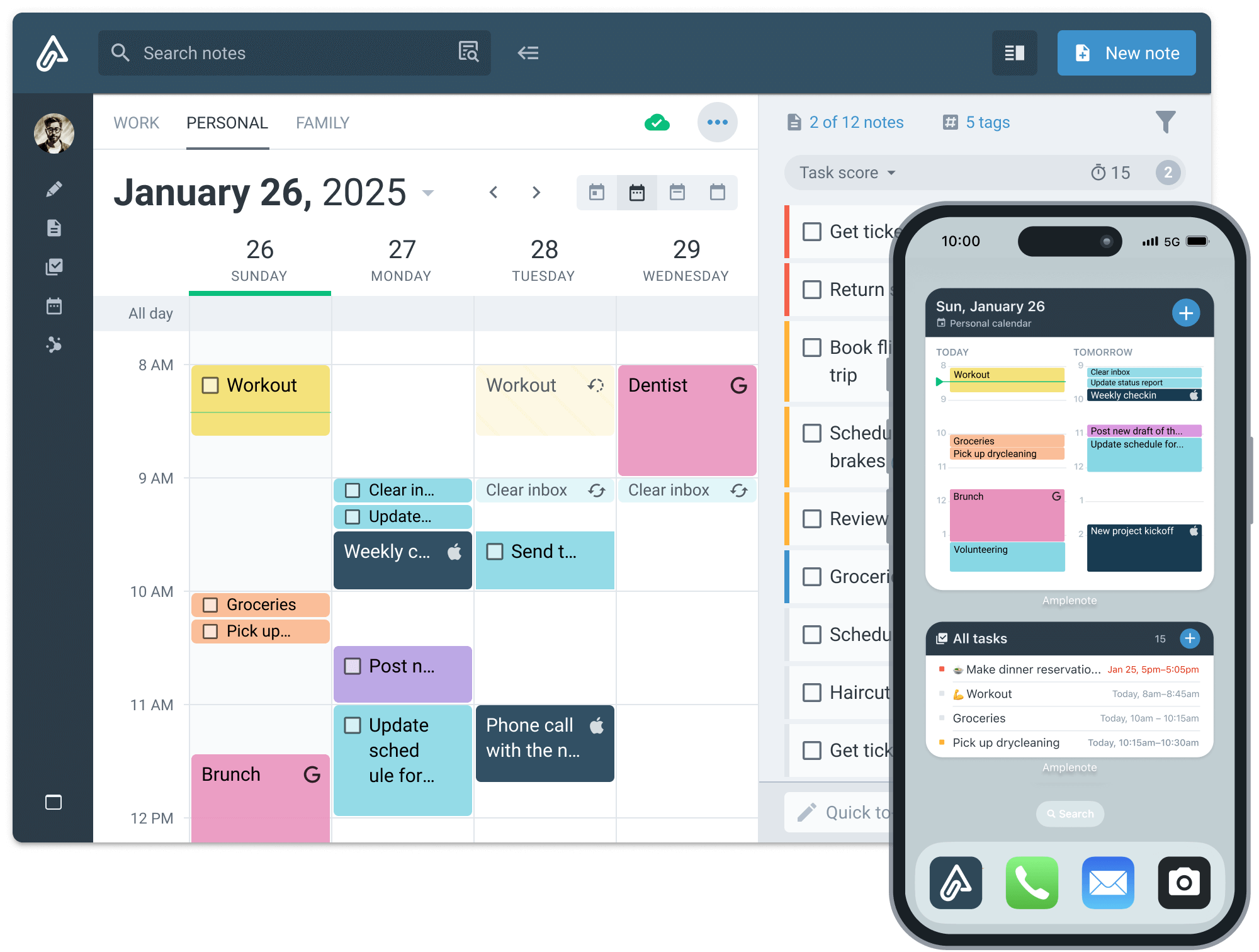
  • Native calendar with drag-and-drop time blocking
  • Real-time collaboration on shared notes and tags
  • Mood tracking and completed-task analytics built in
Linked thinking, intact

Your knowledge graph is still here. It just does more.

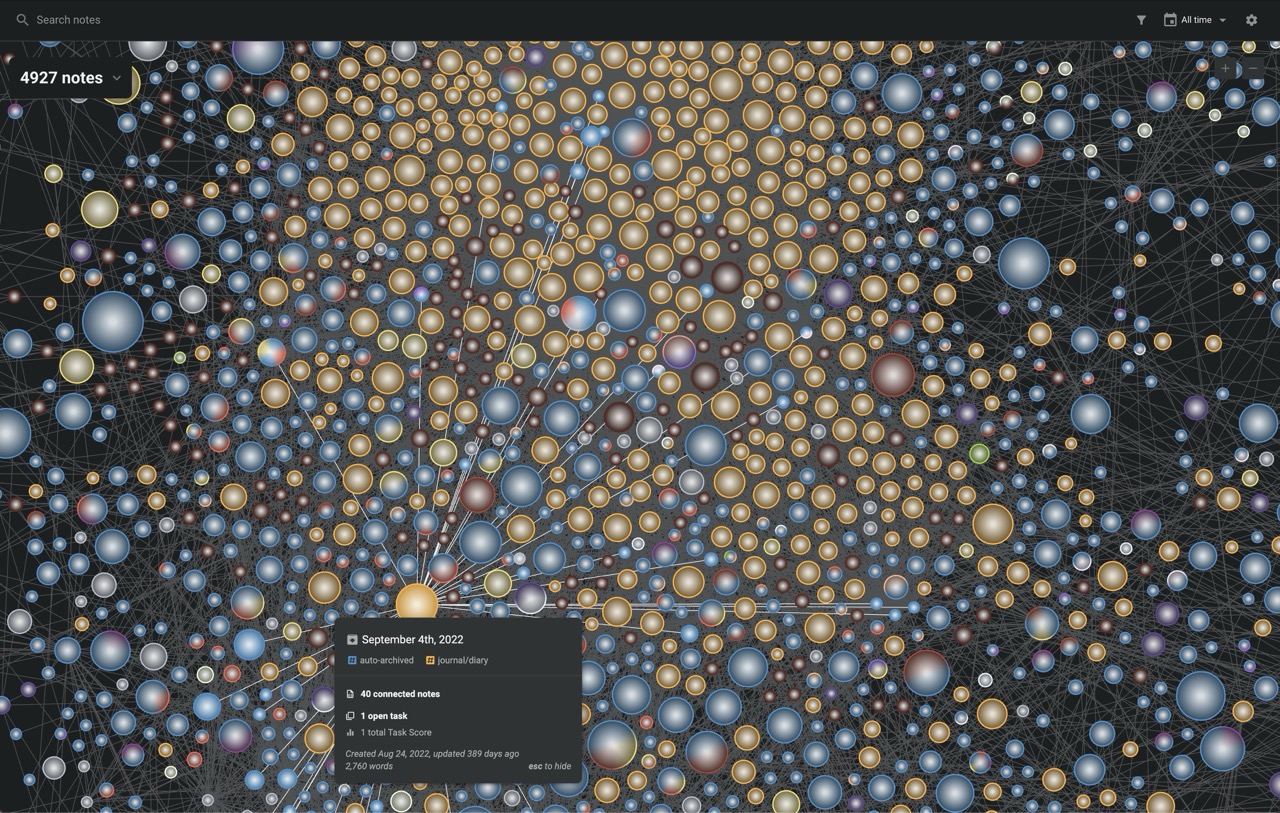
Every note knows what it's connected to. Backlinks, transclusion, tag hierarchies, and a visual graph view — the things you love about Obsidian survive the move.

The difference: each node in your Amplenote graph also knows which tasks it owns, which collaborators touch it, and which decisions are still open.

Notes graph · 1,559 notes
Q2 Marketing Plan
3 connected 5 open tasks 17.9 score
At a glance

What you'd need plugins for in Obsidian — built in here.

A side-by-side on the capabilities that decide where productive people land.

Capability Obsidian Amplenote
Native tasks (not just checkbox markdown) Markdown checkboxes First-class objects
Task prioritization & scoring Plugin required Task Score, Eisenhower
Native calendar + time blocking Plugin required Drag & drop
Two-way Google / Outlook calendar sync Not supported Built in
Real-time collaboration Shared vaults, no live editing Shared notes & tags
Fine-grained permissions Not supported Per-note & per-tag
Publishing to the web Paid add-on Included
Mood & energy tracking Plugin required Native widget
Completed-task analytics Plugin required Victory Value built in
Plugin discovery (ratings & reviews) Browse by name only Curated marketplace
Full Markdown import / export Native Native
No plugin stack required

Spend less time choosing plugins. Spend more time doing the work.

Obsidian's ecosystem is powerful for tinkerers — but assembling and trusting the right plugins for tasks, calendar, sync, and analytics is a side project of its own.

To match Amplenote in Obsidian, you'd install…

  • Tasks plugin
  • Day Planner
  • Full Calendar
  • Google Calendar sync
  • Kanban
  • Dataview + DataviewJS
  • Periodic Notes
  • Habit Tracker
  • Charts
  • …and updates for all of the above
Time to configure A weekend, at minimum

In Amplenote, it's already there

  • Task scoring with the Eisenhower matrix
  • Drag-and-drop calendar time blocking
  • Two-way Google & Outlook sync
  • Mood & energy tracking
  • Completed-task analytics & Victory Value
  • Shared notes and shared tags for teams
Zero setup. One subscription.
The Amplenote loop

Idea → Task → Calendar → Done.

Most note apps stop at capture. Amplenote keeps going — converting raw thought into prioritized work, then into time on your calendar, then into evidence you actually moved forward.

01 JOT

Capture without friction

Daily Jots give you a frictionless inbox for ideas. They flow into your notes graph automatically.

02 SCORE

Surface what matters

Task Score uses the Eisenhower matrix to surface what's important and urgent — without manual reordering.

03 BLOCK

Schedule on the calendar

Drag tasks onto your calendar. They sync two-way with Google and Outlook so nothing falls through.

04 LEARN

See your patterns

Completed Task Stats and mood-vs-productivity graphs show what your week actually looked like.

Your productivity should teach you about yourself

Notes that look back at you.

Track mood and energy alongside the work you ship. Watch your Victory Value rise. See which days actually felt good — and which ones just looked good on paper. No plugin to find. No dashboard to assemble. The patterns are already there in your data.

Distribution

Where your time actually went

Auto-grouped by tag. Hover any bubble to drill into subtags.

  • todo 60%
  • canonical 26%
  • gitclear 8%
  • amplenote 4%
  • + 39 more
335
Current record-setting streak
Daily Jog
Every 2 days · Health Goals
335
Max Streak
335
Completed
43%
On Time

Monthly retrospective

March → April → May, side by side

Every month, Amplenote builds you a comparable view. Same shape, same tags, three months of momentum.

MAR
728 Victory Value
APR
682 Victory Value
MAY
251 May (in progress)

Trends

One week, dots and all

Each cell is a day; each dot is a completed task colored by tag.

S
M
T
W
T
F
S

42 tasks completed this week · 4 tags active

Built for real teamwork

Shared notes that behave like living workspaces.

Obsidian Sync now offers shared vaults — but everyone needs an active subscription, fine-grained permissions aren't supported, and there's no live same-file editing. Amplenote is built for teams that want to think together in real time.

Shared notes & shared tags

Share a single note, or every note under a tag — collaborators contribute to a living, updating body of knowledge.

Assignable tasks

Hand off work inside the note where it was decided. Tasks land in the right person's queue, scored and ready to schedule.

Goals you reach together

Meeting minutes, research projects, collaborative roadmaps — Amplenote treats shared workspaces as the unit, not just shared files.

Plugin fatigue, named

Stop building a productivity stack.
Start doing the work.

Obsidian's plugin community is genuinely impressive. But its own docs note that plugins run third-party code, don't auto-update for security reasons, and the team can't manually review every release. Discovery happens by name and description — not ratings or reviews.

We loved tinkering with our Obsidian setup. We loved it less after the fourth time a plugin broke at the worst possible moment.

The honest price comparison

One bundled plan. Or two add-ons that don't talk to each other.

Obsidian's core app is free — and that's genuinely great. But the features most knowledge workers actually need (sync across devices, publishing to the web) live in two separate paid add-ons. Amplenote bundles all of it, plus everything Obsidian doesn't sell at any price.

Obsidian
Free + Sync + Publish
The realistic stack for cross-device users who want to share notes online.
$ 15 /month
Core app Free
Obsidian Sync $5/mo
Obsidian Publish $10/mo
Monthly billing $15/mo
$12/mo if both billed annually ($144/yr)
  • Local Markdown files, unlimited notes
  • Sync across devices (1 GB storage cap)
  • Publish notes as a website
  • Native tasks & Task Score
  • Built-in calendar & time blocking
  • Two-way Google / Outlook sync
  • Mood & energy tracking
  • Completed-task analytics
  • Real-time shared editing
Stay with Obsidian
vs
Amplenote
Unlimited
Everything Amplenote offers — bundled, no add-ons to assemble.
$ 10 /month, billed annually
Everything Included
Sync across devices Included
Publish notes to web Included
Annual billing $120/yr
$14.49/mo monthly · Free Forever plan available
  • Linked notes, backlinks, graph view
  • Sync across unlimited devices
  • Publish any note to the web
  • Task Score with Eisenhower prioritization
  • Native calendar with drag-and-drop blocks
  • Two-way Google & Outlook sync
  • Mood & energy tracking, Victory Value
  • Vault Notes (client-side encryption)
  • Shared notes, shared tags, assignable tasks
Start free for 14 days →

$60 less per year than the Obsidian Sync + Publish stack — with all the productivity features Obsidian doesn't sell at any price.

Comparison: Amplenote Unlimited annual ($120/yr) vs Obsidian Sync + Publish at monthly billing ($180/yr).
Bring your vault

Zero lock-in. In either direction.

Amplenote's Obsidian importer takes a zipped Markdown vault and brings over images, formatting, links between notes, tags, code snippets, and supported attachments.

  • One-click import from Obsidian's native Markdown export
  • Internal links preserved across the entire vault
  • Tags, attachments, and code blocks come through clean
  • Full Markdown export available any time — your data stays yours
Imports from
  • Evernote
  • Obsidian
  • Notion
  • Todoist
  • Google Keep
  • Markdown

Bring your existing notes with you

Drop in an Evernote, Roam, Obsidian, or Markdown export to import notes in seconds. Your trial starts the moment your file is ready.

Encrypted in transit and at rest. Cancel anytime from inside the app.
Ready when you are

Keep the linked thinking.
Add the forward motion.

Try Amplenote free for 14 days. Bring your Obsidian vault. Keep what works, drop the plugin stack, and see how your week looks when your notes know how to follow through.

Free Forever plan available · No credit card required · Full Markdown export, always