The "Ample Agent Pro" plugin is Amplenote's signature package of AI tooling to infuse your Amplenote experience with an ever-growing suite of functionality.
Like Task Score, Rich Footnotes, and the Idea Execution Funnel, Ample Agent Pro offers a much different flavor of AI than what is typically found in other note and task apps.
link🚀 Focus: Get Work Done with Plug-and-Play Frontier Models
The biggest difference between our AI Agent and competitive offerings is that we are dedicated to creating a transparent bridge between "your best ideas" (as captured in your notes and tasks) and "the most powerful AI available this quarter."
Think of Ample Agent Pro as the glue that connects your projects to the highest-power reasoning available today. Beyond a monthly quota of AI that Amplenote provides for light-use convenience tasks (listed below), our agent is built to tap into your API keys from the four LLM providers that dominate the reasoning leaderboards, to apply the world's most powerful agentic models to any-sized task:
 |  |
 |  |
Every quarter brings significant upgrades in the breadth and depth of what these AI agents can do. In order to tap their full potential, you can't cross your fingers and hope that your note or task app is keeping pace with trillions of dollars being invested into the frontier models. When you want highest-quality research and reasoning, it has been necessary to visit the latest homepage for each of OpenAI, Anthropic, Gemini or Grok, then copy and submit your query to each.
Progress is faster on the frontier. Harness it to plan your day, research your deep questions, and progress on your tasks.
link🤖 Complimentary Features (within quota)
These features are available for free with an Ample Agent Pro subscription, up to an hourly quota. If the quota is exceeded, you can still use any of this functionality with the API keys setup for the Provider Synthesis Features.
linkTask Router: Pick best-matched note for a new task
Sometimes little features add up to big qualify of life improvements. If you have 3+ ideas per day, this is the "little feature" you'll love.
The idea is simple: if you have lots of ideas (tasks), you'll naturally store them in lots of notes (grouping like-with-like). Without Task Router, this means that any time you create a new task, you have to hope that it falls among the five note targets shown by the "Task Capture" dialog on mobile or desktop. When it doesn't, you need to pick the note and type enough characters to find the note where the new task belongs. With Task Router, that's just a tap:
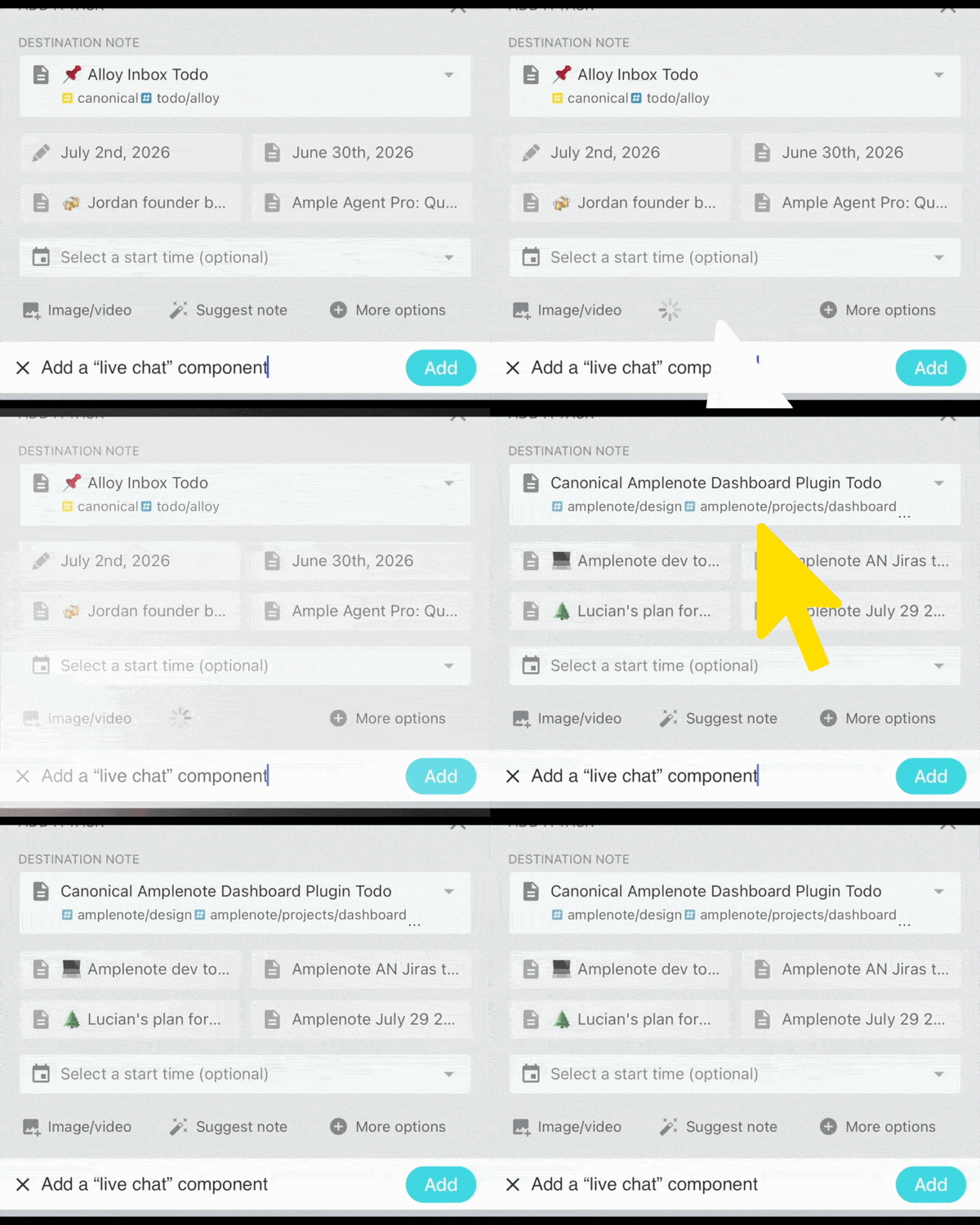
Tap "Suggest note" to invoke Task Router and get 5 guesses for the best task destination
The entire process tends to take 3-5 seconds.
linkTask Agent
Why not let AI take a first pass at your todo items?
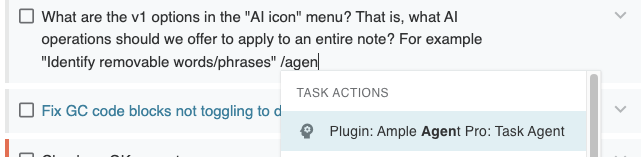
Use "/agent" within a task to activate Task Agent
Task Agent will use any available Rich Footnotes or other context from your todo item, and combine it with your optional input about "what does success look like?" for the task. It will then asynchronously work on your task by making web searches and referencing related notes within your account. The end product is a "result note" that is linked from your task. For example, given the "suggest AI actions on a note" task above, it produced the following suggestions:
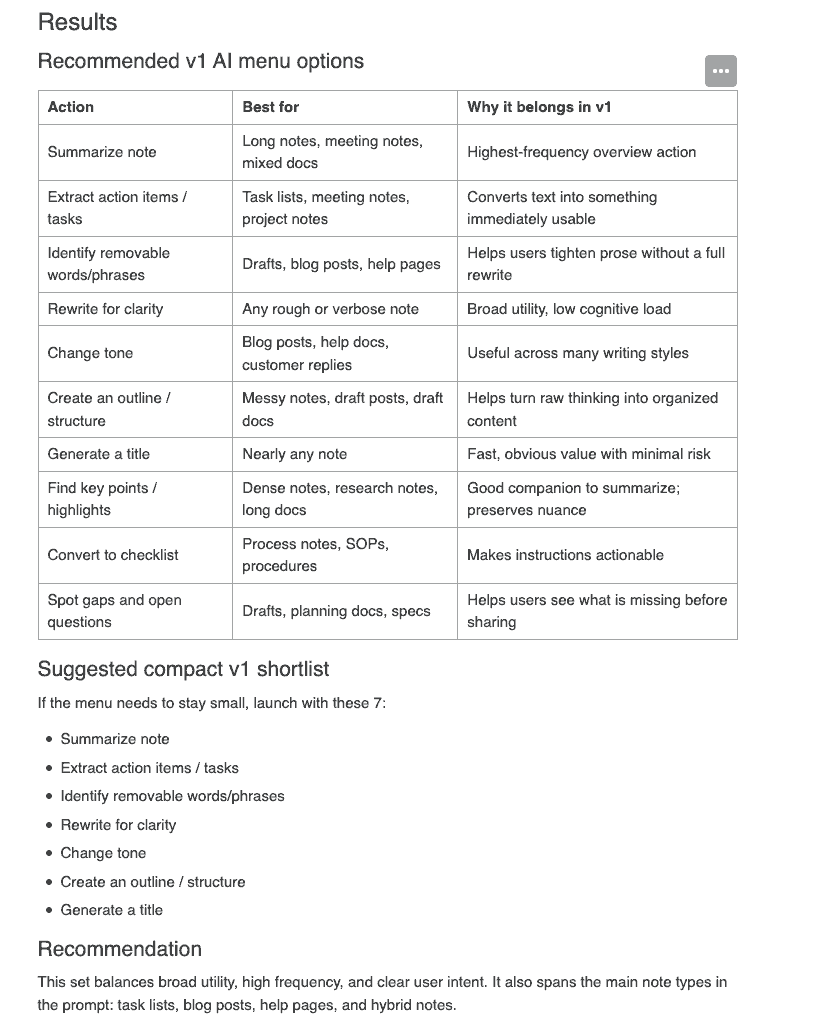
Task Agent output working on the task of "define best v1 AI note actions"
Like other complimentary features, the number of tasks that Task Agent can work on depends on the subject complexity. If you exhaust your 4 hour AI quota, you can always fall back to the AI providers you have specified in your AI keys.
linkNote Agent
Want to apply a transformation directly to your note? The "Note Agent" option added by Ample Agent Pro to Note Options is ready to augment, transform, or otherwise undertake time-saving work.
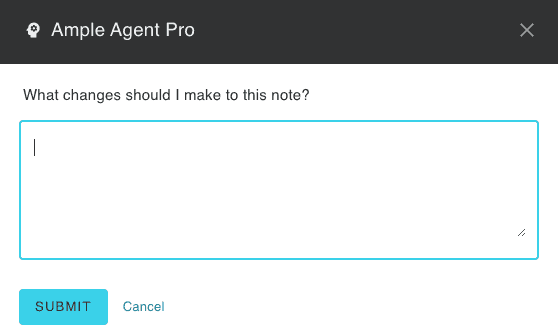
Your wish is Note Agent's command
Some prompts that we have issued to Note Agent while dogfooding it:
Apply tags to this note based on the existing tag hierarchy
Extract action items / tasks (also possible via the /suggest action)
Identify removable words/phrases
Rewrite for clarity (you can always compare the "before" and "after" version in note history, or you can create a duplicate copy of the note before applying this command)
Change tone. Useful for blog posts, help docs, customer replies where brevity needs to be infused with warmth.
Generate a title for this note
Find key points/highlights
Convert to checklist. If you originally drafted your note with bullets and you want to batch convert them to checkboxes, this can do it.
In general, if there are any batch operations that you want to perform on the tasks within a note ("Mark them all as starting X" or "move the tasks from Section A to Section B") can be handled nicely by Note Agent
Find and insert any web articles (preferably scholarly) to support the points made in this piece
Suggest (or just insert) photos or illustrations that would help to clarify the content of this note
linkGoal-Aligned Task Recommendations (via Mission Control Dashboard)
After installing the free Mission Control Dashboard plugin, Ample Agent Pro will parse your Quarterly Planning note to suggest tasks tailored to your goals and the day of the week:
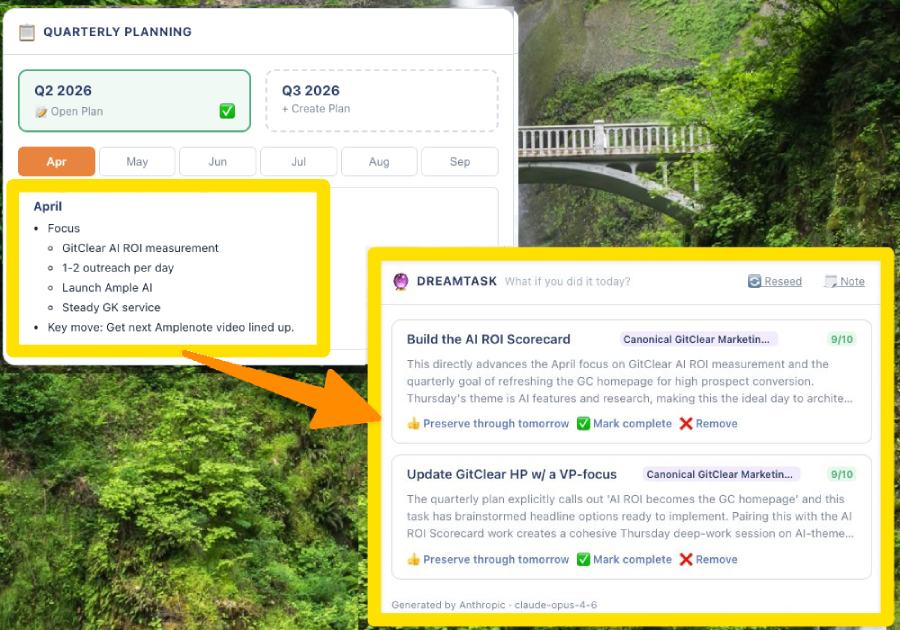
Make today the day you follow through on your quarterly goals with inspiration from DreamTask
Note that the template for a Quarterly Plan can include suggestions specific to a day of the week, like "Monday is best for meetings, Friday is best for planning." Note also that, if you configure the "Dreamtask" component to be larger than its default "2 wide by one tall" size, it will generate a greater number of suggestions.
linkProposed Agenda (via Mission Control Dashboard)
Considering all the tasks in your selected Task Domain, which ones fit best with what you've already got going on today?
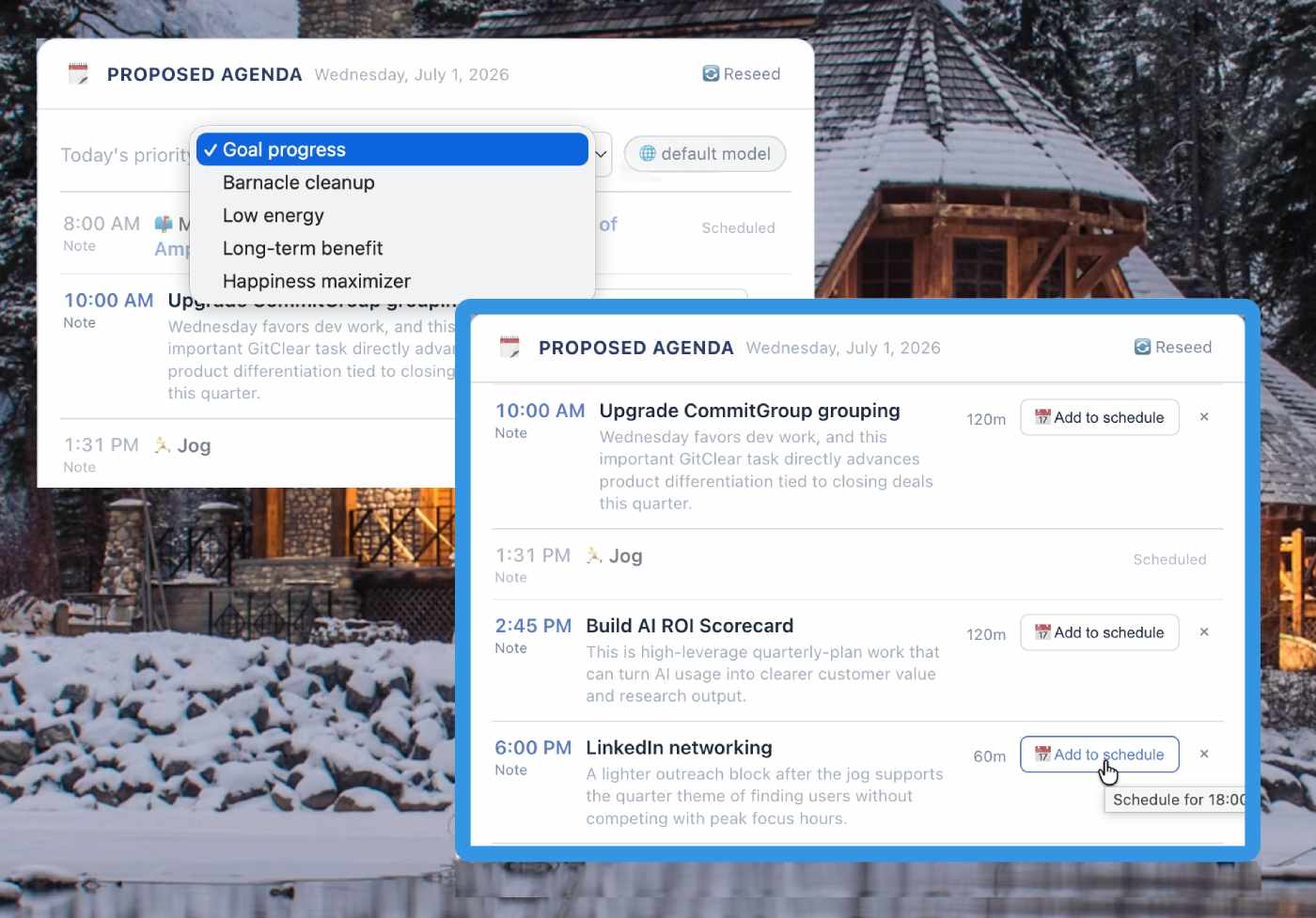
Pick a priority, Proposed Agenda has substantiated opinions on what you ought to be doing
If you're not satisfied with the suggestions, you can choose a different priority, or change AI provider to see whether your results improve with another opinion.
linkBatch Task Sort
What sounds most fun to work on?
Enter "rescore" into the Open Notes popup and you'll be given the opportunity to transform which of your tasks are presented atop the list of "tasks to schedule" when visiting Calendar or Tasks View. The first step in batch rescoring tasks is to choose the source of tasks to be scored (Task Domain, tag, note, etc). Next comes the fun: what are you in the mood to focus on?
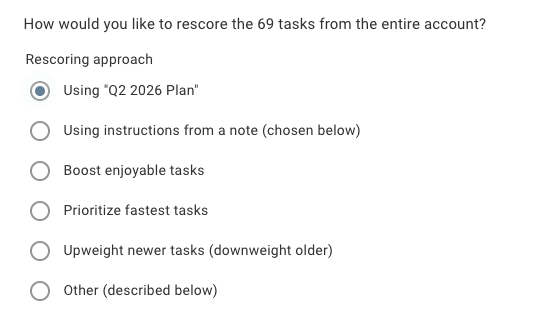
Weight tasks by current mood
In around 10 seconds, you'll be presented with a new slate of values for each task from the source you selected. Any score can be rejected or updated. Read the full documentation on Batch Task Scoring here.
linkNote Search Agent
Describe the content that you want to locate within your Amplenote account, and Note Search Agent will hunt down the most relevant matches:
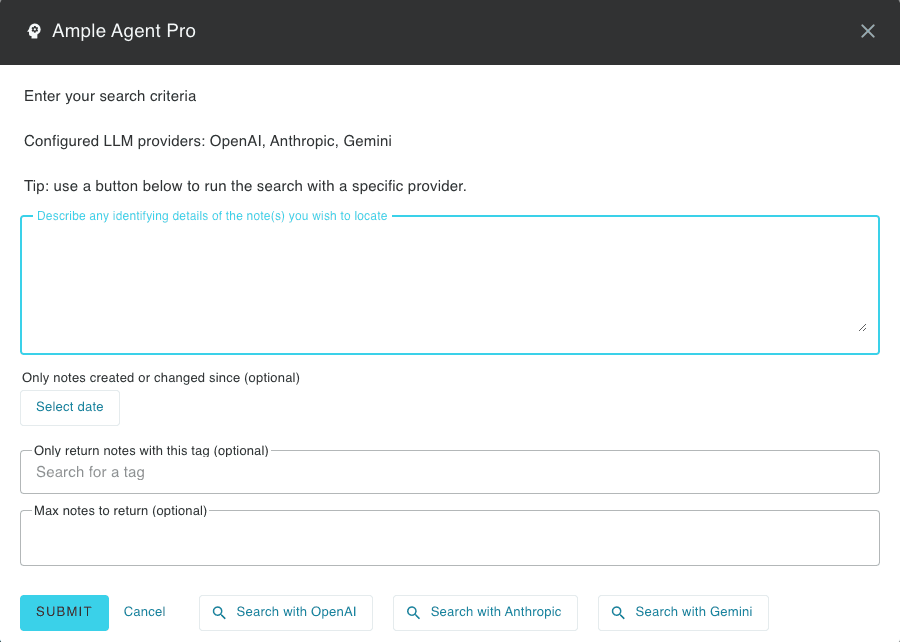
Use a note or an ad hoc paragraph to describe which notes you want to retrieve
For complex queries on large (1,000+ notes) accounts, this may take 30-60 seconds to complete a thorough search of all related content. You can continue working on tasks or notes while the search is underway. You can invoke LLM search by
Type /search into any note
Invoke Quick Open (Cmd O or Ctrl O) and type "search" until the "Ample Agent Pro: Search Agent" shows up among your options.
linkThesaurus
People should be able to understand that the "Thesaurus" feature can be very handy in authoring blog posts, help documents, or team communications.
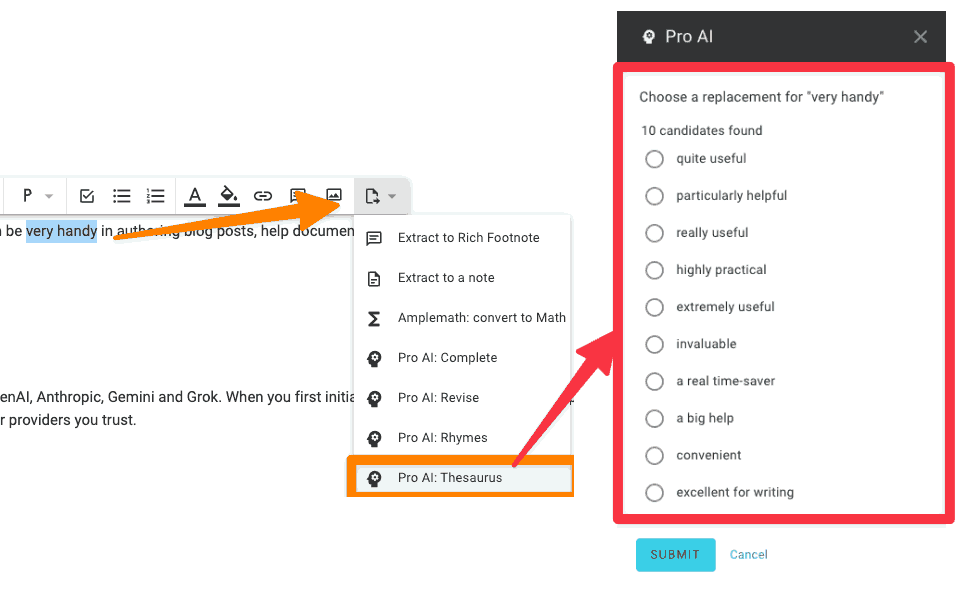
Get suggestions to replace a word or phrase that consider the context of the sentence the phrase is used in
You'll be given a list of 10 ideas for approval, to be ratified if you believe one is an ideal replacement for the original word or phrase. If you don't like the proposed options, swap to a different AI provider you've set up, or re-try your first LLM. The second thesaurus query will receive the bad guesses from the first query, to prevent any re-guessing. If you're on mobile, you can access these options here:
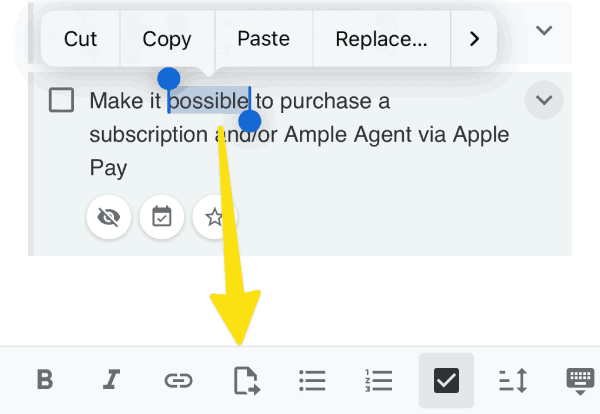
The "convert selection" icon opens AI options for Thesaurus, Revise, Rhyme, and "Complete"
linkSummarize
The "summarize" action is probably the most ubiquitous in any AI menu you open. Far be it from us to bypass an old mainstay, even if we find it seldom of great value in the context of a single note.
The area where a slash command "summarize" or its "Note Option list" counterpart can shine is when you have a note that is a capture from a long web page, or when you have a PDF in the note that has research you wish to have reduced to a more human-parseable form. It can also be useful if you have a long help page you are writing with many sections, and you want to get a quick way to introduce the article that recognizes its many constituent sections.
linkImage Optimizer
If you use Amplenote for its publishing features, you're ahead of the game: we've striven to create the most richly communicative Help Center or Knowledge Base. For those who are publishing pages, they are often keen to limit the number of 1mb images that come in from modern image-generating tools. With Agent Pro, any time you click on an image, you can choose "Optimize Size" to submit the image to be losslessly reduced:
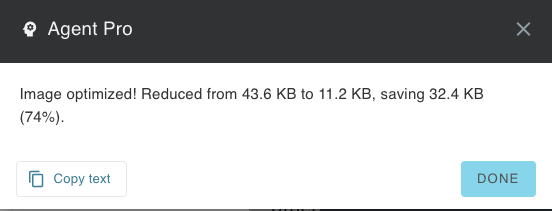
After choosing to Optimize Size for an image
The process usually takes around 10 seconds for an image up to 500kb.
link... And more
More features available within the "core" Ample Agent Pro include:
linkComplete that thought
Use /complete to let AI take a shot at finishing the sentence or paragraph you're writing.
linkRevise text
Choose a word, phrase, or paragraph, then describe how you wish it were different, using the "Revise" option, nearby "Thesaurus."
linkRhyming suggestions
Are a poet and you know it? Select a word, and next to the option for "Thesaurus" you can find the option for "Rhymes"
linkGrocery timesaver
A companion of the venerable "Grocery list" note, pick this to break up an unsorted list into the sections of the grocer where each item can be found, as seen in this example.
On mobile and desktop, this is available as an option if you click the triple-dot in the upper right corner of an open grocery list note.
linkTask suggester
Use the /suggest command to synthesize the content of your note into action items. Great for processing meeting notes or start-of-day brain dump journaling.
linkInsert related notes (beta)
Use /related to insert links to up to 10 notes whose content is similar to the current note.
link📡 Extended Features: Provider Synthesis
These features within Ample Agent Pro leverage your API keys for OpenAI, Anthropic, Gemini and Grok. When you first initiate an action, we'll provide a setup wizard that includes the link to quickly retrieve your existing API key for whichever providers you trust.
linkDeep Research Agent
When you have a complex or critical question, and you need the best possible answer from the latest models. Deep Research Agent can accept a note or longform prompt as input, then let you choose which agents & how much reasoning to attack the question with.
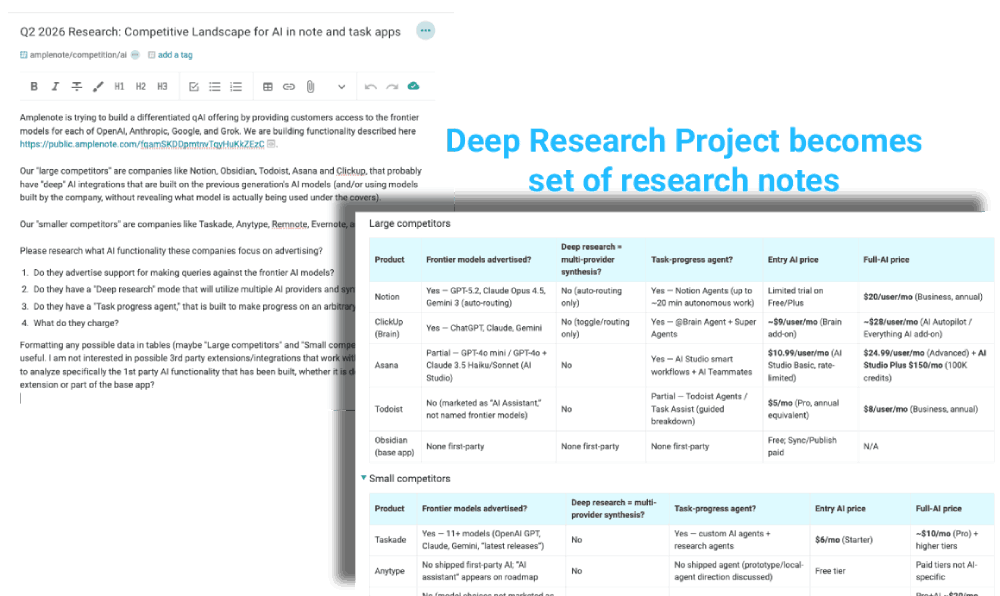
Submit a note-as-LLM query to any or all of the AI Providers you have set up keys for
In addition to choosing which of your AI providers should created notes on the Deep Research topic, you can control the amount of reasoning that will be applied in the dialog that pops up upon invoking /deep research.
linkGenerate image
Use /image to generate an image from a prompt, or from the preceding text.
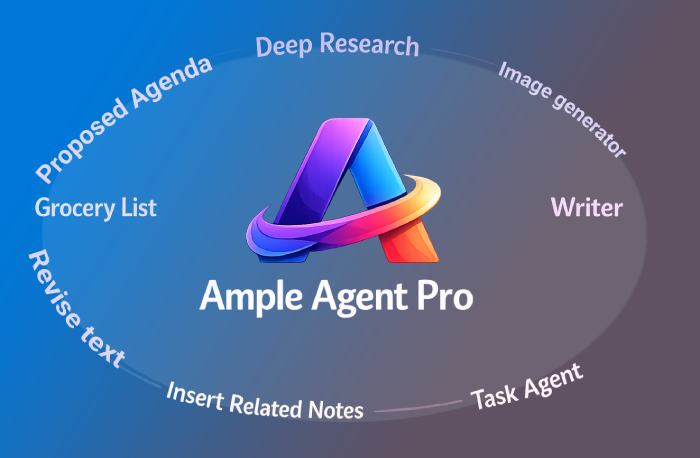
The success to OpenAI's DallE is utilized, where you can choose the amount of effort and the dimensions of the resulting image.
linkNote Chat
Discuss content from the current note with an LLM to get comprehensive suggestions about your content. Use /chat to begin a conversation.
link🧠 Adding AI Provider Keys, Picking Frontier Models
Level up your thinking horsepower by adding API keys for the various LLMs that you have signed up for.
For most Ample Agent Pro features (all those in the "Complimentary features" section), we will initially consume quota that is allocated for each paying user. However, any AI power user knows that $8 worth of spend (the initial cost of Ample Agent Pro) isn't going to get your very far when you're requesting complex, multi-web-query research, or value-creating, long-running tasks.
Use the /provider slash command to add your API keys for Anthropic, OpenAI, Grok and/or Gemini. After you have added your API key on one Amplenote platform, it will be propagated to your other platforms (as of Q2 2026, it can take a couple minutes for plugin settings to sync).
After you've picked an AI provider and entered your API key, you'll be given a menu to choose your preferred model from the latest LLM models available from a given AI provider.
link⛽ How much quota is included?
Ample Agent Pro has been built with an eye toward ensuring that most users will never have to worry about their AI quota. An effectively unlimited number of non-research interactions (e.g., "thesaurus," "revise," "complete the thought") should be possible. However, the Ample Agent Pro queries that call upon agents (like Note Agent and Task Agent) can hypothetically exhaust one's monthly allocation of queries.
To allow users to thoughtfully utilize all features as much as possible, we can show you the amount of your quota that you have consumed by calling /quota. Beyond the basically-unlimited number of non-research operations that can be invoked, you should be able to trigger around 20-50 monthly calls to the "core" agents before Amplenote falls back to using the API keys you have provided.
link♻️ Updating the plugin
Ample Agent Pro is expected to receive updates at a weekly cadence through 2026, probably indefinitely. When a new version of Ample Agent Pro is available, you'll see a link to update when you visit the Jots pane. Additionally, you can confirm you have the latest version by visiting Account Settings => Plugins, where you'll see an orange refresh icon if the plugin has updates available (or a green checkbox if it is up-to-date).
link👋 Canceling Your Subscription
You are welcome to cancel renewal of your Ample Agent Pro subscription at any time: visit Account Settings => Plugins, and select the Ample Agent Pro plugin, where you can click "Manage subscription"
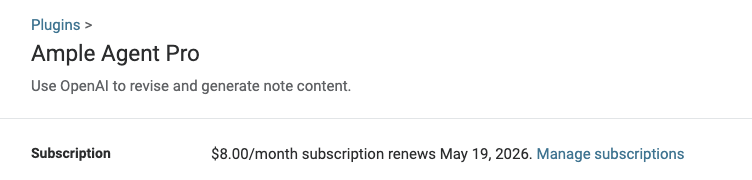
Then you'll get a link to cancel your Ample Agent Pro subscription:
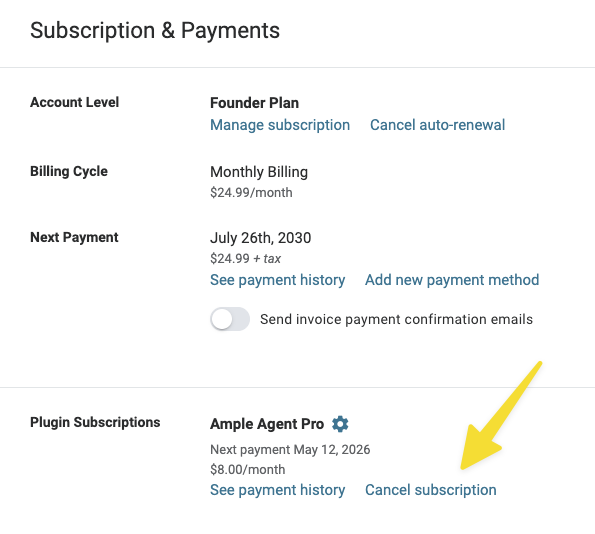
Since it costs us money to provide the Ample Agent Pro core features, we are unable to offer partial-month refunds for Ample Agent Pro subscriptions.